iFlicks

iFlicks
License:
Trial version
Language:
English
Developer:
Developer's website
OS:
Mac OS X
Updated:
See detailed info

Softonic review

Nick Mead

“iTunes style video management application”

by Nick Mead about iFlicks

If there's one major application missing on Leopard, it's one that allows you to manage your videos in an intelligent way.

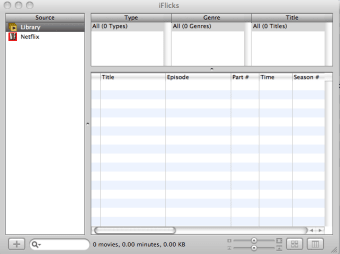
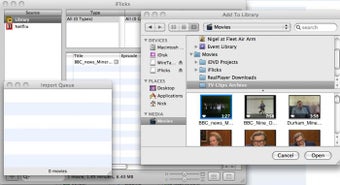
That's exactly what the makers of iFlicks have tried to address by providing a simple but powerful tool to manage your videos. iFlicks features a simple drag and drop interface that allows you to categorize movies with a variety of information, such as title, episode, director, cast, genre, and more. It supports most video formats including QuickTime (.mov), Audio Video Interleave (.avi), MPEG-1, MPEG-2, MPEG-4, and DV. You can add batches of clips for importing and the import process itself takes no longer than adding a song to your iTunes library.

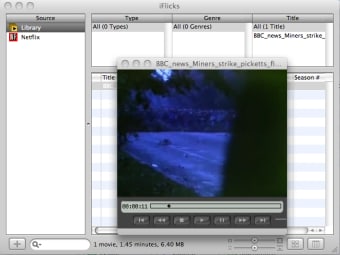
When you want to access a clip, you can use the iFlicks movie player which open within a smaller Quicktime style window within the iFlicks interface. What the developers hope distinguishes iFlicks from other players are a few "smart" features that more intelligently organize your collection. Smart Collections allows you to organize your movies or clips by genre, director, actors etc. This is not much different to organizing your file folders by size, type etc but if you have a big collection, it could be useful.


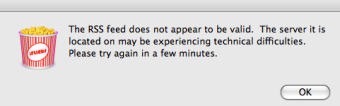
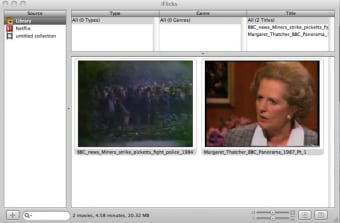
The slickest feature however is the Gallery View which works similar to the album browser function in iTunes. Just press a button at the bottom of the iFlicks interface and suddenly your clips and movies are browsable as thumbnails or screenshots. There are also a few other notable features including the ability to search on Amazon and download film info so you don't have to enter it manually. There's also an automatic link to the Netflix database which is supposed to download the latest 100 releases to purchase, although the RSS feed was not working when I tried it.

iFlicks is a great little application for all those that have a huge movie collection and aren't sure how to manage it. It could well be on the way to being that truly essential elusive video app that Leopard is missing.

Pros
  • Easy to use and simple interface
  • Supports most major formats
  • Gallery View looks great
Cons
  • Interface could do with a better skin
  • Doesn't detect duplicate videos that have already been imported
  • Netflix RSS feed doesn't always work
Download iFlicks 1.1 build 538

iFlicks is virus free

We have analyzed the latest version of iFlicks with 30 antivirus engines and it is virus free. See analysis results.

TESTED VIRUS FREE - Softonic GUARANTEED

Review and rate iFlicks

Your avatar

Your opinion is important.
Help other users - be the first to review this program.

Review
  1. Maximum: 75 characters

  2. See example

Pros and Cons
Rate
  1. What rating would you give iFlicks?

    You need to fill in all fields

    • Usability:

      Not rated
    • Stability:

      Not rated
    • Installation:

      Not rated
    • Functionality:

      Not rated
    • Appearance:

      Not rated
    • Overall rating:

      Not rated
  2. Don't worry, we won't make your email address public.

You're not allowed to share serial numbers, cracks, etc. or link to pages that contain them. If you do, your user account will be deleted, your IP address logged and legal action will be taken.

Get started - just ask a question!

Write a title for your question.

Alternativesto iFlicks

  • In English:
    Audio Recorder
    Audio Recorder

    Audio recording on Mac has never been easier

    Softonic rating:
    • 9/10
    User rating:
    • 10/10
  • Free:
    XBMC
    XBMC

    Powerful media centre for Macs or Apple TV

    Softonic rating:
    • 9/10
    User rating:
    • 7/10
Compare with iFlicks
Download rank: Editors & Managers

40 of 87

Softonic rating:
  • Very good
  • 8/10
Your rating:
Your rating
  • 0

Review and rate this program

Blog posts about iFlicks

More

Top Downloads: Editors & Managers

  • United States
  • Global

  1. Apple's official video editing suite for Macs

Reviews of iFlicks in other languages